Your Mac's heartbeat, app by app.
HeartbeatMac groups every process under the app it belongs to, so a thousand processes become a hundred apps. Live charts, 30 days of history, alerts when something misbehaves, and a monitor in your menu bar.
NewPost about it, get up to 100% backLaunch price $5 $29 for the first 200 licences · 200 left · lifetime updates · 7-day free trial · up to 3 Macs · macOS 15 Sequoia+
This is a live preview with simulated data: click any tab, hover a chart, open an app. A web page can't read your Mac, and shouldn't.
A thousand processes. One answer.
Activity Monitor shows every process, a hundred of them called Google Chrome Helper. HeartbeatMac adds each helper to the app that launched it, so "what is using my memory?" has a one-line answer.
- One figure per app for CPU, memory, energy, disk, network and GPU, helpers included.
- Expand any app to see its processes, or switch to the flat process list.
- Quit or force quit an app or one process. It always asks first.
HeartbeatMac vs Activity Monitor
Activity Monitor is good at showing what's happening this second. HeartbeatMac also tells you which app is responsible, what happened while you weren't looking, and when something needs your attention.
| Feature | Activity Monitor |  HeartbeatMac HeartbeatMac |
|---|---|---|
| What the list shows | Every process, about 1,000 rows | Every app, about 100 rows, with processes one click away |
| Per-app CPU, memory, energy, disk, network, GPU | Add up the helpers yourself | One figure per app, helpers included |
| History | Live graphs only | 30 days for every metric, per app |
| Alerts when an app misbehaves | None | High CPU, growing memory, heavy disk or network |
| Menu bar | Dock icon only | Icon, figure, graph or stacked figures, plus a compact view |
| Dev servers and open ports | None | Grouped by project, idle ones pointed out |
| Temperatures, fans, device batteries | None | Included |
| Volume per app | None | Included |
| Price | Included with macOS | $5 once at launch, then $29 |
Charts worth leaving open.
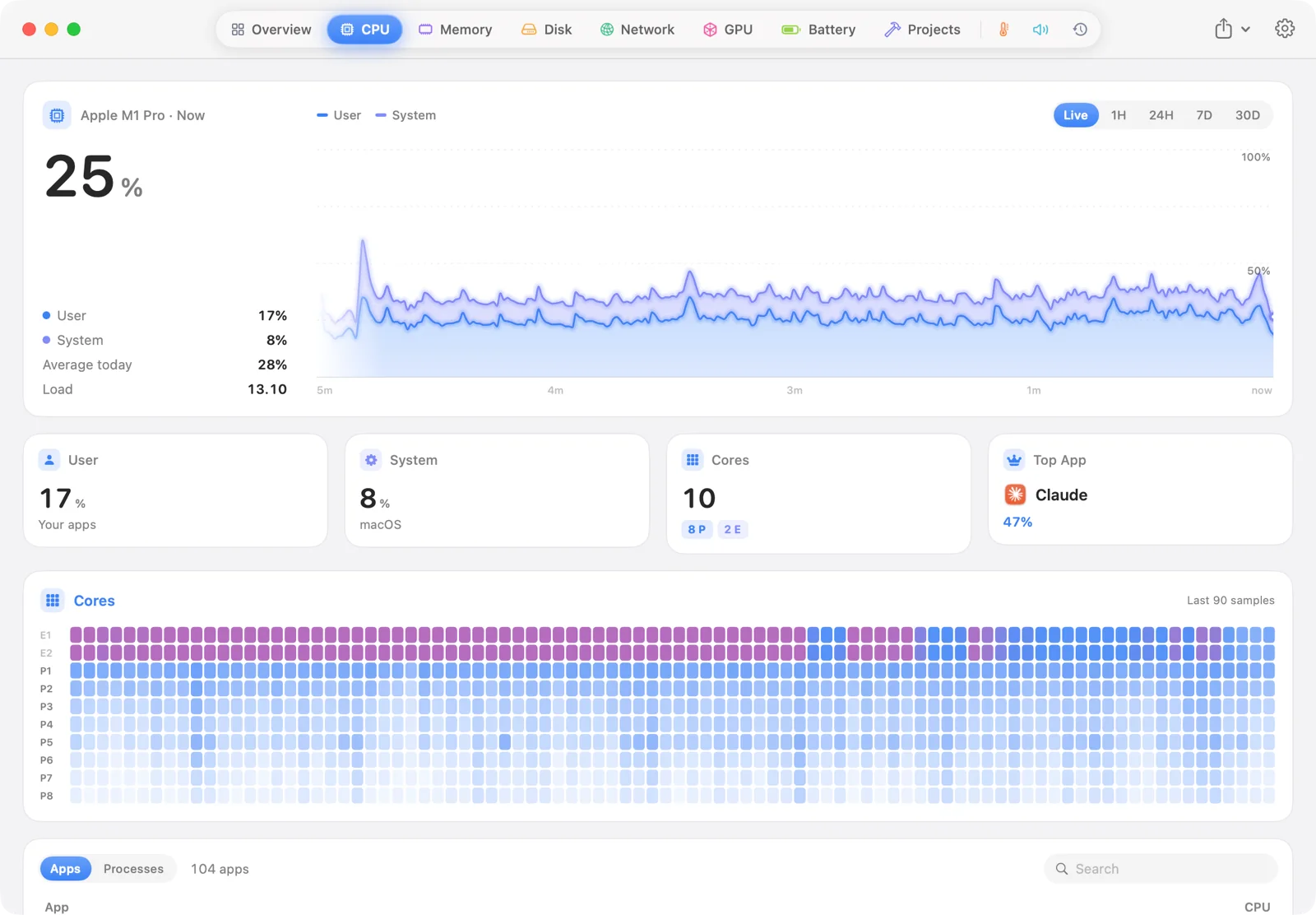
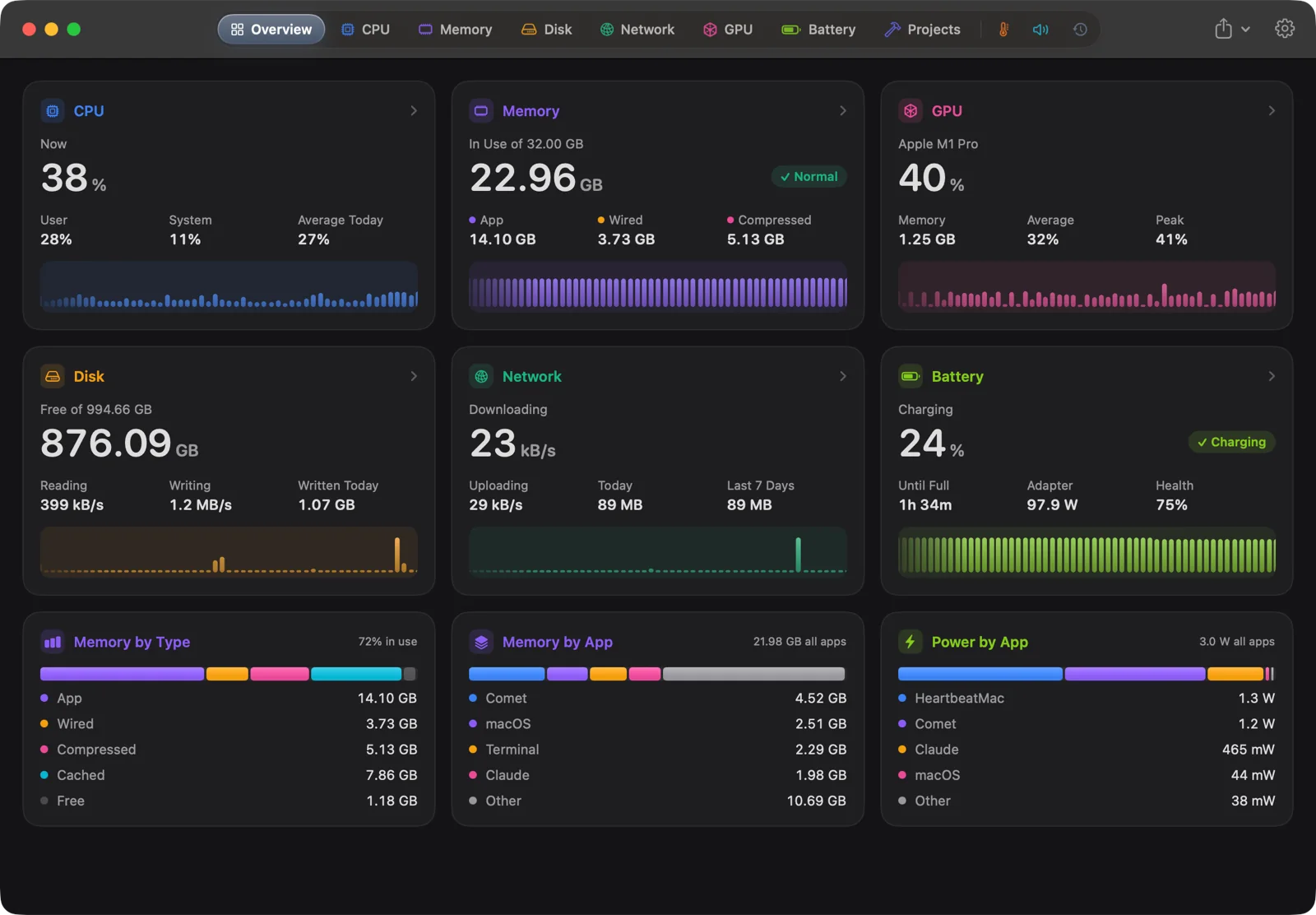
They glide as new samples arrive instead of jumping once a second. Lines glow, the newest point pulses, and you can hover any moment to read it. Here is the real thing.
Finds the dev server you forgot three days ago.
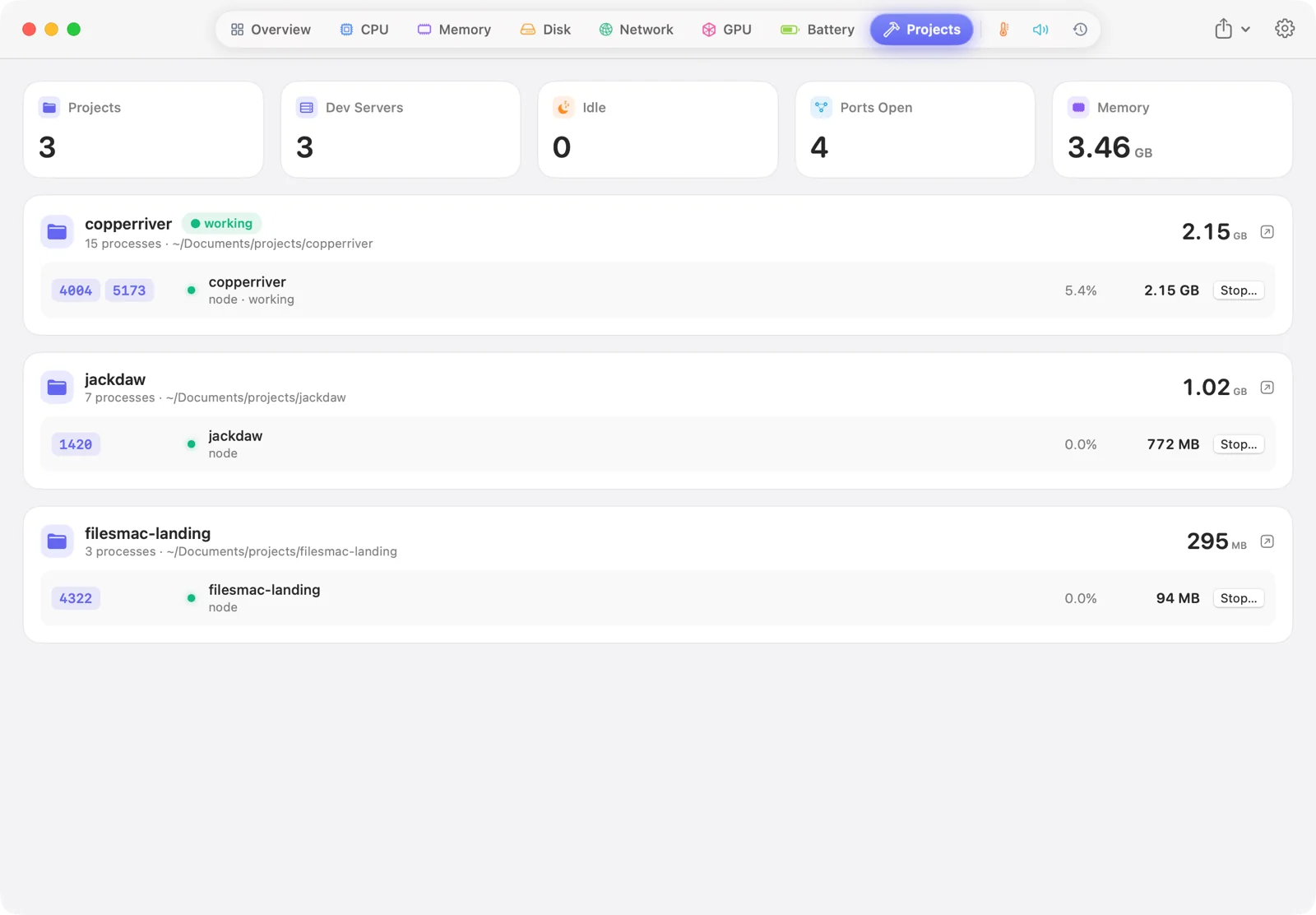
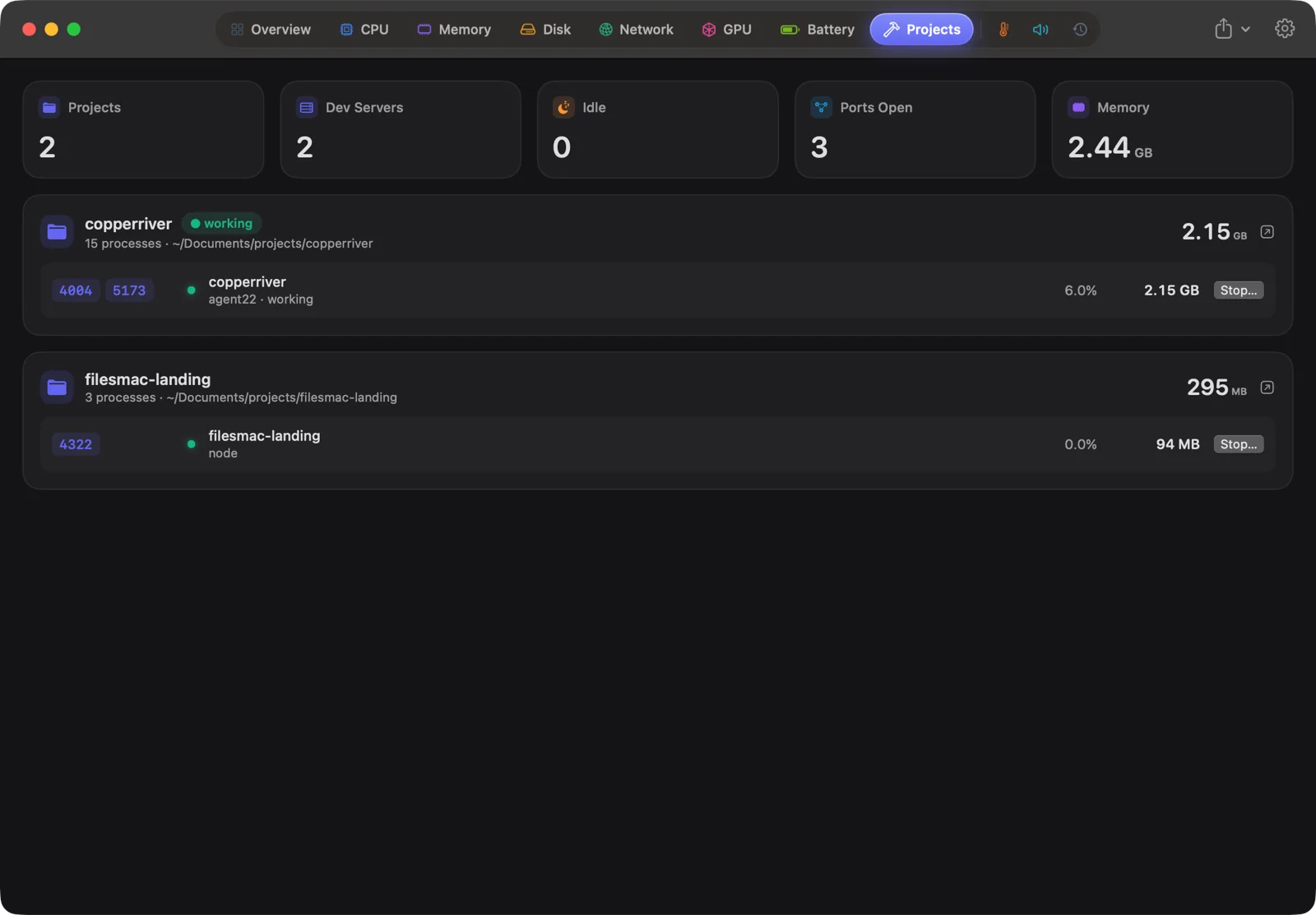
HeartbeatMac groups processes by the project folder they run in and shows the ports they hold open. It points out servers that have sat idle, and stops them for you, after asking.
- By project, from the git root: a monorepo's web, api and docs servers sit together.
- Idle servers flagged with how long they've done nothing, and the memory they'd free.
- Click a port to open it in your browser.
A monitor in your menu bar.
Show an icon, a figure, a small graph or several figures stacked, for CPU, memory, GPU, network, temperature or battery. Click it for every metric on one screen. The icon turns into a warning sign when your Mac is under strain.
What you run stays on your Mac.
An activity monitor sees every app you open and every project you work on. HeartbeatMac keeps all of it on your machine.
No account
You buy a licence key. There's nothing to sign in to.
No analytics
HeartbeatMac doesn't report what you run, when, or for how long. Your history is one small file on your Mac.
Offline by design
It goes online only when you activate or deactivate a licence. That's the whole list.
The rest of the toolbox.
Alerts when an app misbehaves
A notification when an app keeps the CPU busy, keeps growing in memory, or hammers the disk or network. Thresholds are yours.
Volume per app
Turn the meeting up and the music down, from mute to 150%. Nothing is recorded.
Temperatures, fans, batteries
CPU and GPU temperature, fan speeds, and the charge in your AirPods, mouse and keyboard.
30 days of history
The last hour, day, week or month for every metric, and which apps used the most. One small file, on your Mac.
Quit safely
Quit or force quit an app or a single process from any list. HeartbeatMac always asks first.
Share card
Save a 1200 × 630 card of your memory, top apps and CPU, in light or dark. Made for posts.
$5. Once. For good.
Launch price for the first 200 licences, then $29. No subscription and no paid upgrades. Try every feature free for 7 days first.
One payment for every feature and every update.
of 200 launch licences left. $5 for the first 200 licences, then $29.
- Every feature, every future update
- One licence for up to 3 Macs; move it any time
- 7-day free trial, no account or card
- 7-day refund if it's not for you
- Apple silicon and Intel · macOS 15 Sequoia or later
or download the free trial (3 MB)
Questions
At a glance
- What it is
- A native Activity Monitor alternative for macOS that groups every process under the app that launched it
- Price
- $5 once during the launch (first 200 licences), then $29 once; a lifetime licence with every future update, up to 3 Macs
- Free trial
- 7 days, every feature included, no account or card
- Refunds
- 7 days, no questions asked
- Requirements
- macOS 15 Sequoia or later; Apple silicon and Intel (universal)
- Download
- Signed and notarised DMG, 3 MB
- Latest version
- 1.0.1
- Privacy
- No account, analytics or telemetry; goes online only to activate a licence
- Made by
- Chethan Kumar S N, an independent developer
What is HeartbeatMac?
HeartbeatMac is a native macOS app that replaces Activity Monitor for everyday questions. It groups every process under the app that launched it, so a working Mac shows about a hundred apps instead of a thousand processes, each with one figure for CPU, memory, energy, disk, network and GPU. It adds live charts, 30 days of history, alerts, a menu bar monitor, dev-server detection, temperatures and per-app volume.
How is it different from Activity Monitor?
Activity Monitor lists processes, about a thousand on a working Mac, a hundred of them called Helper. HeartbeatMac adds every helper to the app that launched it, so each app gets one figure for CPU, memory, energy, disk, network and GPU. It also keeps 30 days of history, sends alerts, lives in the menu bar and finds idle dev servers.
Does it slow my Mac down?
With no window open it samples every five seconds. It samples every second only while you're looking at it, and its charts slow down when the window isn't in front.
Which Macs does it run on?
macOS 15 Sequoia or later, on Apple silicon and Intel (a universal app). Temperatures and per-app GPU figures are most detailed on Apple silicon.
Is it safe?
Yes. HeartbeatMac is signed with a Developer ID and notarised by Apple. It only quits an app, a process or a dev server when you ask, and it always asks you to confirm first. It never changes system settings.
Does it need an account or an internet connection?
No account, ever. It works offline; the only time it goes online is when you press Activate or Deactivate for a licence.
Does it collect data about what I run?
No. There are no analytics or telemetry. Your apps, history and project names stay on your Mac, in one small file you can delete from Settings. Privacy policy.
Can it see system processes?
It counts every process, but macOS only lets an app measure processes that belong to you. Daemons that run as root are counted but not measured, the same limit every monitor without a privileged helper has.
How much is it?
$29 once. During the launch it's $5 for the first 200 licences, and the price goes up to $29 as soon as they're gone. No subscription, every update included, and one licence covers up to 3 Macs.
Is there a free trial?
Yes: 7 days with everything unlocked, no account and no card. If you buy and it isn't for you, email within 7 days for a refund.
Can I get my money back by posting about it?
Yes. Post a short video of HeartbeatMac and we'll refund half of what you paid once it reaches 2,000 views, or all of it at 20,000. You keep your licence. Here's how it works.
How do I get my licence after paying?
Checkout is handled by Polar. Your licence key arrives by email right away and is also in Polar's customer portal. Paste it into HeartbeatMac ▸ Licence… and you're done, offline for good.
Why isn't it on the Mac App Store?
The App Store sandbox stops an app from reading other apps' processes, which is the one thing an activity monitor has to do. HeartbeatMac is signed with a Developer ID and notarised by Apple, so it opens like any other app.
Something else? Email chethan.2106@gmail.com and a person replies.
Take your Mac's pulse.
Free for 7 days. $5 once after that, while the launch price lasts.